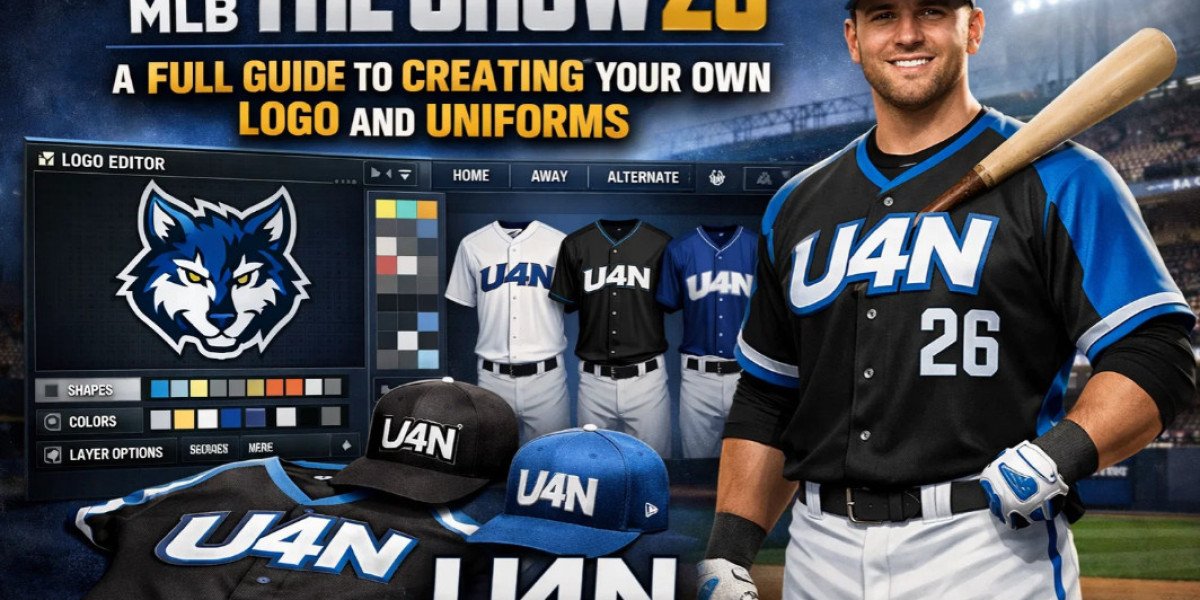

In MLB The Show 26, customization is one of the key features that lets players express their creativity. Whether you’re building a new team for Franchise mode or designing a squad for Diamond Dynasty, the game gives you plenty of options for creating a logo and uniforms that represent your team’s identity. This guide breaks down the process step-by-step and answers some common questions to help you make the most of the customization tools.
1. How Do I Start Creating a Logo and Uniforms?
When you first start a new team or create a custom franchise in MLB The Show 26, you’ll be prompted to design a logo and uniforms. Here’s a basic rundown of the process:
Logo: You can either create a brand-new logo from scratch or choose from various pre-designed templates. The game offers a wide range of shapes, colors, and symbols, but if you want to go completely unique, you can use the advanced tools to draw, modify, or import your own designs.
Uniforms: The customization here is pretty extensive. You can pick home and away jerseys, change colors, add patterns, and even create alternate uniforms. There are several templates available, and you can adjust each one to fit your style.
Once you're in the customization screen, the game provides clear instructions on how to navigate between logo and uniform creation options. The most challenging part can be deciding on a design that truly represents your vision for your team.
2. Can I Import Custom Logos into MLB The Show 26?
Yes, you can import custom logos into the game, but there are a few limitations. MLB The Show 26 allows you to upload image files, but they must meet specific size and format requirements. Generally, the logo files need to be in PNG format with a transparent background, and the file size should not exceed a certain limit (usually around 2 MB).
The process is relatively straightforward:
Create or find a logo you want to use on your computer or through a graphic design tool.
Navigate to the logo creation menu in MLB The Show 26.
Look for the option to upload an image file.
Once you upload it, you can resize and place it wherever you need it on your team’s uniforms.
Keep in mind that if you're not familiar with graphic design, creating a logo from scratch can be a challenge. However, there are plenty of resources online where you can find free logos or hire someone to create one for you.
3. How Do I Customize My Team’s Uniforms?
Customizing uniforms is where the fun really begins. Here’s how to do it:
Choose the Base Template: The game provides various templates for different jersey styles, including home, away, alternate, and throwback uniforms. Pick the one that you want to customize first.
Adjust the Colors: Each uniform template has multiple color options. You can change the primary, secondary, and tertiary colors for various parts of the jersey, including sleeves, pants, and trim. This is where you can really get creative and match your team's colors to your logo.
Add Patterns and Logos: You can apply patterns like stripes or geometric shapes to different parts of the jersey. The game also lets you place logos on the chest, sleeve, or back of the jersey. If you’re using a custom logo, this is where it’ll come in handy.
Text and Fonts: You can add text to your uniform, such as your team's name, player names, or even a slogan. There are multiple font choices, so you can find one that fits your team's identity. You can also adjust the size, spacing, and positioning of the text to get the perfect look.
In practice, most players will spend the most time here tweaking small details to make their team look professional or even fun and goofy, depending on what they’re going for.
4. Can I Make Multiple Uniforms for My Team?
Yes, you can design multiple uniforms for your team. In MLB The Show 26, the game allows you to create home, away, alternate, and even throwback uniforms. You can switch between them depending on the situation, and each one can have different designs.
It’s a good idea to create a distinct home and away uniform so that your team is easily identifiable on the field. Alternate uniforms let you get creative with your team’s look, and throwbacks can be a fun way to honor the past. Some players even design multiple away jerseys or alternate versions for different occasions, like special events or team milestones.
5. How Do I Change My Team’s Stadium Design?
While the focus of this guide is on logos and uniforms, you may also want to tweak your team’s stadium to match your custom look. MLB The Show 26 offers a variety of options to design your ballpark, but it’s a separate process from the uniform and logo design.
The customization options for stadiums include:
Changing the color scheme to match your team’s colors.
Adding signs or banners with your team’s logo or mascot.
Modifying the seating and grass patterns to match your team’s theme.
Stadium customization isn’t as detailed as logos or uniforms, but it can still enhance the overall experience of managing a custom team.
6. How Do I Use Stubs to Purchase Customization Items?
In MLB The Show 26, stubs are the in-game currency that allows you to purchase items for your team, including logos, uniforms, and other customization options. These stubs can be earned by playing the game, completing missions, or purchasing them with real money.
Some customization options, like rare uniforms or logos, may require you to spend stubs. MLB The Show 26 stubs price can vary depending on what you’re buying and how much you’re willing to spend. If you don’t have enough stubs to buy something you like, you can earn them through gameplay or purchase more through the store.
It’s important to keep an eye on the pricing structure when you’re looking to make custom purchases, as some of the more unique or high-quality designs might be locked behind higher stub costs.
7. Can I Share My Custom Logo and Uniforms with Other Players?
Yes, MLB The Show 26 allows players to share their logos and uniform designs with the community. Once you’ve created a design, you can upload it to the game’s community hub, where other players can download and use your creations.
This feature adds a fun social element to the game, as you can see what other players have designed and get inspiration for your own team. It’s also a great way to showcase your creative skills and get feedback from the community.
8. Is There a Way to Copy or Reuse Designs for Other Teams?
If you’ve created a logo or uniform design that you really like, you can reuse it for other teams. The game lets you copy logos and uniforms to new teams or franchises, which saves you the time of designing everything from scratch. This is particularly helpful if you want to create a series of teams with similar branding but slightly different designs.
By using the copy feature, you can maintain consistency across different franchises or league divisions while still making each team feel unique.
Creating your own logo and uniforms in MLB The Show 26 is an enjoyable part of the game that allows you to add a personal touch to your team. Whether you're creating a brand-new team or just fine-tuning your designs, the tools are easy to use once you get the hang of them. By experimenting with different colors, logos, and uniform styles, you can make your team stand out on the field.
Remember, the MLB The Show 26 stubs price can affect some of the more premium customization options, so if you’re after something special, be ready to either grind for stubs or spend real money. With patience and creativity, you can design a team that feels truly your own.