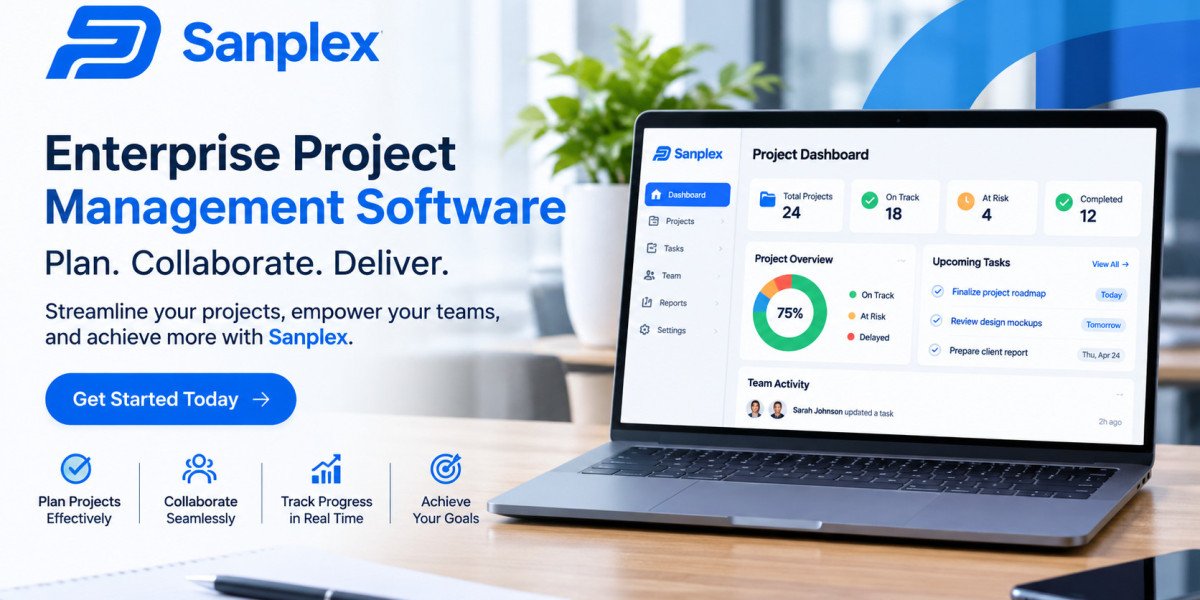

As businesses expand, managing projects becomes increasingly complicated. Different departments may work on several initiatives simultaneously, each requiring specific resources, financial planning, employee coordination, and regular progress reviews. When information is scattered across spreadsheets, emails, and separate applications, managers can struggle to maintain an accurate picture of organizational activities. Enterprise Project Management Software provides a centralized solution for handling these challenges and maintaining control over complex project environments.
Unlike simple task management applications, enterprise platforms are designed to support organization-wide project operations. They help businesses connect strategic planning with daily execution, monitor resource availability, track financial performance, and coordinate employees across departments. Management teams can use shared information to identify problems, evaluate priorities, and make decisions based on actual project performance.
For organizations managing growing workloads, these systems offer a practical way to improve coordination and establish consistent project management processes.
2. How Enterprise Project Management Software Works
Enterprise Project Management Software brings different project management activities together within one digital environment. It allows authorized users to create projects, establish schedules, assign responsibilities, manage budgets, and monitor progress.
The system typically begins with project planning. Managers define objectives, identify required resources, estimate costs, and establish deadlines. Once the project receives approval, teams can organize activities into smaller tasks and assign them to responsible employees.
As work progresses, team members update task statuses, upload relevant documents, and communicate important changes. Managers can then review dashboards and reports to understand whether projects are meeting their targets.
Connecting Projects With Business Priorities
A major difference between enterprise and basic project management is the ability to evaluate projects collectively.
For example, a financial services company might be upgrading its customer platform, improving data security, and introducing a new internal reporting system. All three initiatives may require support from the same IT department.
Enterprise software helps managers compare resource requirements, identify dependencies, and determine which activities should receive priority. This reduces the likelihood of approving more work than the organization can realistically complete.
3. Core Features That Support Enterprise Project Management
A reliable platform should offer capabilities that address the operational requirements of large organizations.
Project Scheduling and Timeline Management
Scheduling tools help managers organize activities according to their expected duration, deadlines, and dependencies.
Gantt charts provide a visual representation of project timelines, while calendar views help employees understand upcoming responsibilities. Milestone tracking allows management to measure progress against important delivery dates.
If one activity falls behind schedule, managers can review its impact on dependent tasks and adjust the project plan accordingly.
Resource Management and Workload Planning
Resource management provides visibility into how employees, equipment, and other assets are distributed across projects.
Managers can examine employee availability, current assignments, and upcoming workloads before allocating additional responsibilities.
For instance, if an engineering specialist is already assigned to two critical projects, resource planning can help prevent another manager from scheduling conflicting work.
Document Management and Information Sharing
Enterprise projects generate large amounts of documentation, including proposals, contracts, technical specifications, meeting notes, and progress reports.
Centralized document management allows authorized employees to access relevant information from a shared location. Version control can also help teams distinguish updated documents from outdated copies.
Budgeting and Cost Management
Financial tracking helps organizations compare planned expenses with actual spending.
Managers can monitor labor costs, procurement expenses, project budgets, and financial forecasts. When costs begin exceeding expectations, they can investigate the reasons and introduce corrective measures.
Automated Workflows and Approvals
Automation reduces repetitive administrative work by handling routine processes.
Depending on the platform, organizations can automate approval requests, task notifications, recurring assignments, and status updates.
For example, a completed procurement request can automatically move to the finance department for review. This creates a more consistent approval process and reduces manual follow-ups.
4. Benefits for Large and Growing Organizations
Implementing Enterprise Project Management Software can improve several important business functions.
Improved Coordination Between Departments
Projects often require cooperation between employees with different responsibilities. A centralized system gives departments access to shared schedules, updates, and project documentation.
This reduces communication gaps and helps employees understand how their work affects other teams.
Better Control Over Project Costs
Financial visibility allows managers to identify spending differences before they become major problems.
By comparing estimated and actual expenses, businesses can investigate unexpected costs, adjust resource allocations, and improve future budgeting decisions.
Increased Employee Accountability
When responsibilities and deadlines are clearly documented, employees know what they are expected to deliver.
Managers can review task progress and identify assignments that need additional attention. This creates greater transparency without requiring constant manual supervision.
More Reliable Business Forecasting
Historical project information can help organizations estimate future workloads, costs, and delivery timelines.
For example, a company that regularly implements software systems can use information from previous projects to develop more realistic schedules for upcoming implementations.
Better Use of Management Time
Centralized reporting reduces the time managers spend collecting updates from individual departments.
Instead of preparing reports manually, they can review available dashboards and focus on resolving problems or making strategic decisions.
5. Practical Considerations When Selecting a Platform
Choosing enterprise software requires evaluating more than its feature list. The system must support the organization's actual working environment.
Understand Existing Operational Problems
Start by identifying where current processes fail. Common problems include unclear task ownership, inaccurate reporting, resource conflicts, and limited budget visibility.
This assessment helps businesses identify the features that will provide meaningful improvements.
Evaluate Scalability and Flexibility
Business requirements change as organizations introduce new departments, products, and projects.
A scalable platform should support additional users, different project structures, and changing workflows without requiring a complete replacement.
Examine Integration Capabilities
Many organizations already use accounting systems, customer relationship management platforms, communication applications, and cloud storage services.
Check whether the selected software supports the necessary integrations. Connecting existing applications can reduce duplicate data entry and improve information consistency.
Review Security and Access Permissions
Enterprise systems may contain confidential financial and operational information.
Important considerations include role-based access, authentication, encryption, audit logs, backup policies, and data protection practices.
Compare Total Implementation Costs
Software expenses can extend beyond subscription fees. Businesses should account for configuration, customization, employee training, integrations, support, and ongoing maintenance.
A realistic cost assessment helps prevent unexpected expenses after implementation.
6. Common Implementation Challenges
Even a suitable platform can fail to deliver expected results if implementation is poorly managed.
Difficulty Adapting to New Processes
Employees may prefer familiar tools and established working methods. Introducing new procedures without proper explanation can reduce adoption.
Organizations should provide hands-on training and demonstrate how the software makes everyday responsibilities easier.
Inconsistent Project Information
Inaccurate task updates, missing documents, and outdated budgets can affect reporting quality.
Businesses should establish clear standards for entering information and define who is responsible for maintaining project records.
Excessive Customization
Organizations sometimes attempt to recreate every existing process within the new platform.
Too much customization can make the system harder to maintain and use. It is often better to simplify workflows before introducing automation.
Unclear Implementation Goals
Without measurable objectives, management may struggle to determine whether the new system is providing value.
Businesses should establish performance indicators before implementation and review them regularly.
7. Practical Benefits and Key Insights
To achieve lasting results, organizations should treat project management software as part of a wider operational improvement strategy.
Several practices can support successful adoption:
Introduce standardized templates: Use consistent project plans, status reports, and approval processes.
Assign ownership: Ensure every project and major task has a responsible person.
Monitor resource utilization: Review employee workloads before approving additional assignments.
Use relevant performance indicators: Track schedule performance, budget differences, completed milestones, and unresolved risks.
Encourage regular updates: Keep project information accurate so managers can rely on reports.
Review workflows periodically: Remove unnecessary steps and adjust processes as business requirements change.
Organizations should also remember that software cannot replace effective project leadership. Managers still need to communicate clearly, resolve conflicts, assess risks, and guide employees toward shared objectives.
8. Frequently Asked Questions (FAQs)
1. What is the main purpose of Enterprise Project Management Software?
It helps organizations plan, coordinate, and monitor multiple projects through a centralized system. Its capabilities commonly include scheduling, resource allocation, financial management, collaboration, and reporting.
2. How is enterprise software different from regular project management software?
Enterprise solutions generally provide broader capabilities for managing multiple projects, departments, shared resources, and organizational portfolios. Basic tools usually focus more on individual projects and smaller teams.
3. Can enterprise project management software improve budget management?
Yes. Many platforms allow businesses to establish budgets, record expenses, compare planned and actual costs, and monitor financial performance throughout a project's lifecycle.
4. Is enterprise project management software useful for remote teams?
Yes. Cloud-based platforms can allow authorized employees to access project information, update assignments, share documents, and communicate from different locations, subject to the provider's access and security arrangements.
5. What is the most important factor when choosing enterprise project management software?
The most important factor is how well the platform matches organizational requirements. Businesses should evaluate usability, essential features, scalability, integrations, security, support, and total ownership costs.
9. Conclusion
Enterprise Project Management Software helps organizations manage complicated workloads through centralized planning, resource coordination, financial monitoring, and performance reporting. It provides managers with better visibility into ongoing initiatives while helping employees understand their responsibilities and collaborate more effectively.
However, successful implementation requires a clear understanding of business requirements, reliable project information, and employee participation. Organizations should prioritize useful features, establish measurable goals, and review performance after deployment.
When supported by effective leadership and consistent processes, enterprise project management software can improve operational control, strengthen accountability, and help businesses deliver complex projects more efficiently.