
Helping Owners Look After What They Buy
Buying a product is often treated as the end of the customer journey, but ownership introduces a different set of questions. Customers need to know how to clean an item, which materials require special attention, how frequently maintenance should take place, and what actions might shorten its useful life. These questions become particularly important for furniture, household appliances, electronics, clothing, personal accessories, and equipment that people use regularly. Without clear guidance, customers may rely on guesswork or follow advice that does not suit the product.
Traditional care instructions usually arrive as printed manuals, small labels, or documents stored somewhere on a company's website. Although these resources contain useful information, customers may find them difficult to locate when a problem occurs. A person cleaning a new appliance might not remember which cleaning products are suitable, while someone maintaining a piece of furniture may be unsure whether a particular treatment could damage its finish. When the necessary information is difficult to access, even simple maintenance tasks can become unnecessarily complicated.
Mobile content offers a practical way to make product care information available throughout the ownership experience. Customers can use their phones to access instructions, inspect visual examples, and revisit guidance whenever a question arises. Businesses can organize these resources around common maintenance needs rather than expecting customers to search through lengthy documents. With a thoughtful approach, mobile product care content can help people protect their purchases while strengthening the relationship between a brand and its customers.
Replacing Forgotten Paperwork With On-Demand Information
Printed manuals have a familiar place in product packaging, but they are not always convenient for long-term use. Some customers discard them after opening a box, while others place them in storage and forget where they are. Even when a manual remains available, locating a specific maintenance instruction may require scanning several pages of technical language.
Digital access changes how customers retrieve this information. A brand can provide a dedicated care page that works on smartphones, allowing users to find relevant instructions without keeping track of physical paperwork. The page might include cleaning recommendations, maintenance schedules, troubleshooting advice, and explanations of product features that require occasional attention.
The organization of this content matters as much as its availability. Customers should be able to identify their product and move directly to the information they need. A person looking for instructions on removing a stain should not have to read an entire section about general product specifications. Clear categories, descriptive headings, and a simple search function can reduce the time required to find an answer.
Businesses can also structure guidance around ownership stages. New owners may need basic cleaning instructions, while customers who have used a product for several months may be more interested in replacement parts or routine maintenance. Presenting information according to these changing needs makes a digital resource more useful over time.
Making Visual Product Information Work Harder
Many companies already have extensive collections of product photographs used for ecommerce listings, advertisements, and digital catalogs. These images establish a visual identity and help shoppers recognize individual products. However, their usefulness does not have to end when a purchase is completed. With suitable preparation, product imagery can also contribute to digital care resources.
A 2d to ar converter can help businesses explore ways to extend conventional two-dimensional images into augmented reality experiences. Depending on the platform and available assets, this approach can connect familiar product visuals with interactive digital content that customers access through compatible mobile devices. Rather than limiting information to a fixed photograph, brands may offer additional ways to examine a product and understand its features.
This can be particularly helpful when a maintenance task involves identifying a specific part or understanding where a component belongs. A digital experience might highlight an exterior panel, show the location of a removable accessory, or direct attention toward an area that requires regular inspection. Customers can connect the explanation with the product's appearance instead of trying to interpret an unfamiliar technical name.
The most useful implementation depends on the task. Some care questions require only a clear photograph with labels, while others may benefit from a three-dimensional view or an augmented reality interaction. Businesses should choose the format that makes the information easier to understand rather than adding visual technology simply because it is available.
Accuracy is essential throughout this process. Care guidance must reflect the actual product design, and visual elements should not imply that customers can safely remove or adjust components when the manufacturer does not recommend doing so. Interactive content should clarify approved maintenance procedures, not encourage unnecessary experimentation.
Explaining Maintenance Actions One Step at a Time
Product care often involves several actions that must be performed in a particular order. Customers may need to switch off a device, allow it to cool, remove an approved component, clean the relevant surface, and reinstall the part correctly. If these steps are presented in a dense paragraph, readers may overlook an important precaution or confuse the sequence.
Mobile instructions can divide a procedure into short, manageable stages. Each stage can explain one action and provide a relevant image or diagram. Where appropriate, customers can move forward when they have completed a step, return to an earlier instruction, or open additional information about a particular component.
For example, a care guide for a household appliance could separate routine exterior cleaning from instructions for maintaining a removable filter. The first section would explain the recommended cleaning method, while the second would identify the component and describe the approved maintenance process. Safety precautions could appear before the relevant action instead of being buried at the end of the page.
The same principle applies to furniture, outdoor equipment, and personal accessories. A guide might explain how to clean a surface, store an item correctly, or inspect a replaceable part. Breaking the procedure into smaller sections helps customers focus on the task they are performing.
Not every product needs a complex interactive tutorial. A simple sequence of images and concise instructions may be sufficient for routine care. More advanced interactions are worth considering when customers regularly misunderstand a step or when the physical arrangement of components is difficult to communicate through conventional diagrams.
Using Three-Dimensional Views to Clarify Product Structure
Some maintenance questions arise because customers cannot easily identify the relationship between a product's visible exterior and its individual components. A photograph may show the complete item without revealing where an approved removable part is located or how its shape differs from nearby elements. Additional angles can help, but producing a full photographic sequence for every product variation may require considerable effort.
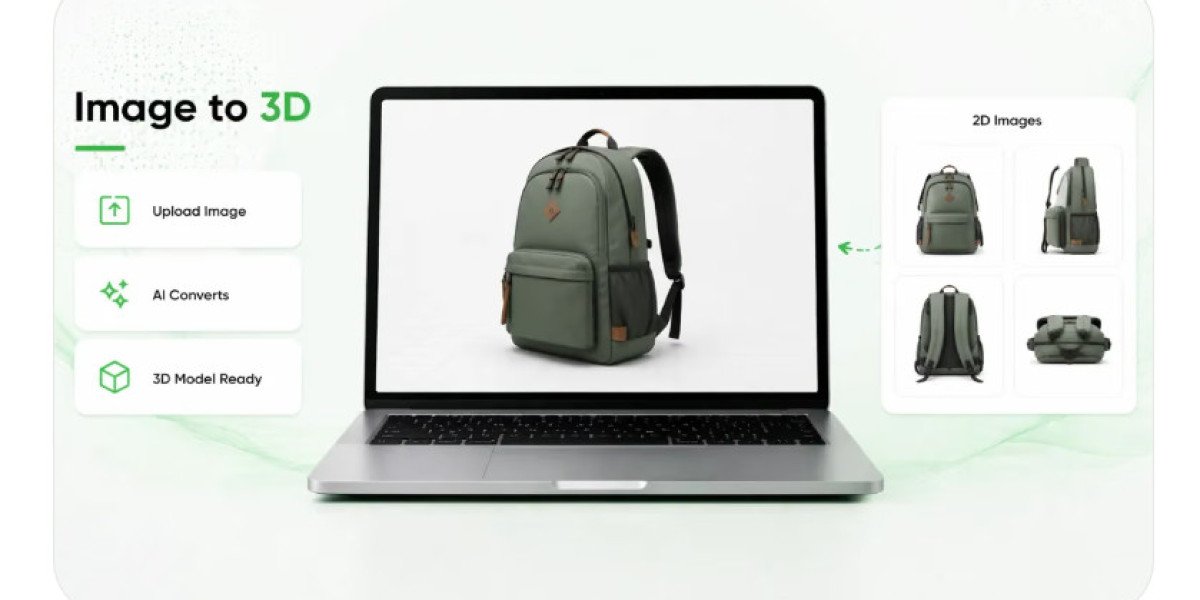
An Image to 3D workflow can help create an initial three-dimensional asset from suitable two-dimensional visual references. Depending on the technology and quality of the source material, this process may provide a starting point for interactive product views that allow customers to inspect an object's shape from different angles. These assets can become part of a broader mobile information system when they are reviewed and prepared for their intended purpose.
For example, a customer might rotate a model of a storage accessory to understand its overall structure before following approved cleaning instructions. A digital representation of a furniture component could help identify which visible section the maintenance guide is discussing. In some cases, a model may also support explanatory animations that demonstrate a permitted adjustment or show the location of a replaceable exterior part.
However, image-based generation has limitations. A photograph does not necessarily reveal hidden surfaces, internal structures, precise dimensions, or the exact construction of a component. Generated models may contain inaccuracies that are difficult to notice at first glance. Brands should verify any model used in maintenance guidance against reliable product references and technical documentation.
It is also important to distinguish visual inspection from instructions to dismantle a product. A model can help customers recognize a component without suggesting that they should remove it. When maintenance requires professional service, specialized tools, or electrical precautions, the digital guide should communicate those limitations clearly.
Connecting Packaging With Long-Term Care Resources
Packaging is one of the earliest physical touchpoints between a brand and its customer. It is also a convenient place to provide access to information that remains useful after the original purchase. A QR code printed on a box, product label, or instruction card can direct customers to a mobile care guide without requiring them to type a long web address.
This connection is particularly useful when the information changes over time. A printed manual cannot easily reflect a revised recommendation, but an online resource can be updated as products evolve or new customer questions emerge. Customers who scan the same code later can access the current version of the guidance, provided the destination remains active and the product is correctly identified.
The destination should offer more than a generic company homepage. Ideally, customers should reach a page relevant to the specific product or product family. If a company sells several versions of an appliance, the guide should help users select the correct model before displaying maintenance instructions. This reduces the risk of someone following advice intended for a different design.
Businesses should also preserve access for customers who cannot scan a code. A readable web address, a searchable support center, and links from product registration or confirmation emails can provide alternative routes. Multiple access points make the information more resilient and prevent one interaction method from becoming a barrier.
A well-designed packaging connection can turn a disposable information card into an entry point for ongoing product support. Instead of treating care information as something customers receive once, businesses can make it available whenever ownership creates a new question.
Personalizing Guidance Without Making It Complicated
Different customers may need different levels of detail. Someone familiar with a product category may only need a reminder about a cleaning interval, while a first-time owner may require a complete explanation. A mobile care resource can accommodate both by presenting the essential information first and offering additional detail when needed.
Product-specific content can make this approach more effective. If a customer selects the exact model they own, the guide can display the relevant cleaning requirements, compatible accessories, and approved maintenance procedures. Where appropriate, customers may also be able to consult troubleshooting information based on a reported issue.
Personalization should remain transparent and practical. Businesses do not need to collect unnecessary personal information simply to provide basic care instructions. A product model number or straightforward product selection may be enough to direct someone to the correct resource. Any optional reminders or account-based features should explain their purpose clearly.
The language used in these guides also deserves attention. Technical terms may be necessary, but they should be explained in plain language. A short description of why a maintenance step matters can help customers understand its purpose and follow it more carefully. Visual examples and concise explanations can make guidance easier to use for people with different levels of technical knowledge.
Care content should also account for accessibility. Readable text, sufficient contrast, captions for instructional videos, and controls that work well on mobile screens help more customers use the resource comfortably. The objective is to remove barriers, not replace a paper manual with a digital experience that creates new ones.
Helping Customers Maintain Products Responsibly
Product care guidance can influence how long an item remains useful and how often customers need replacement parts or professional assistance. When people understand the recommended way to clean, store, inspect, or maintain a product, they may be better equipped to avoid preventable damage. This can benefit customers while helping brands support more responsible ownership.
The guidance must be realistic and specific. A general recommendation to clean a product regularly is less useful than an explanation of the appropriate method and the materials to avoid. Instructions should identify which tasks customers can safely perform themselves and which should be handled by qualified professionals.
Brands can also use mobile resources to explain when replacement is appropriate. If a product includes a replaceable accessory or consumable component, the guide can identify the relevant part and provide information about compatibility. Such details help customers make informed decisions without encouraging unnecessary purchases or suggesting that every problem requires a replacement.
Environmental considerations may be relevant as well. Proper storage, appropriate cleaning, and timely maintenance can help customers care for products according to their intended use. Where repair options are available, brands can explain them clearly. However, businesses should avoid promising a specific extension of product life unless they have evidence supporting that claim.
The broader opportunity is to make ownership information easier to find and apply. When customers can access reliable guidance without searching through scattered resources, product care becomes a more manageable part of everyday life.
Learning From Customer Behavior and Support Questions
A mobile care resource should develop according to the problems customers actually experience. Businesses can review support inquiries, product reviews, service records, and frequently searched questions to identify which instructions are missing or difficult to understand. Repeated questions about a particular component may indicate that the existing guide needs a clearer photograph, a better explanation, or a more direct path to the relevant information.
Usage data can provide additional clues. Teams may examine which sections customers visit most often, where they leave a guide, and which topics generate repeated searches. These patterns can help prioritize improvements, but they should not be interpreted without context. A customer reopening an instruction might be confused, or they might simply be checking a step while performing a task.
Feedback from usability testing can reveal whether the content works in practice. Customers should be invited to find a care instruction on their own phones and follow it using the actual product. Observing their experience can uncover unclear terminology, small interface controls, or missing details that internal reviewers might overlook.
Maintenance information also needs regular review. Product revisions, new accessories, and updated safety recommendations can make older instructions incomplete. A content management process should ensure that published guidance remains aligned with the product currently being sold and supported.
Making Care Information Part of the Ownership Experience
Product care should not depend on whether customers remember a printed manual or know where to search for support. Mobile content offers a convenient way to make maintenance guidance available when people need it, while visual demonstrations and interactive product representations can help explain details that written instructions may not communicate clearly.
The strongest solutions combine practical content with suitable technology. A simple mobile page may be enough for routine cleaning, while labeled imagery, three-dimensional models, or browser-based AR may provide additional value for products with more complicated structures. Accuracy, accessibility, and ease of use should guide these decisions.
By connecting packaging, product pages, and digital support resources, brands can create a consistent source of information throughout ownership. Customers gain a clearer understanding of how to care for their purchases, and businesses gain opportunities to improve support based on real feedback.
Ultimately, accessible product care guidance is about making the right information available at the right moment. When customers can quickly understand what a product needs and how to look after it, maintaining that product becomes less confusing and the overall ownership experience becomes more useful.