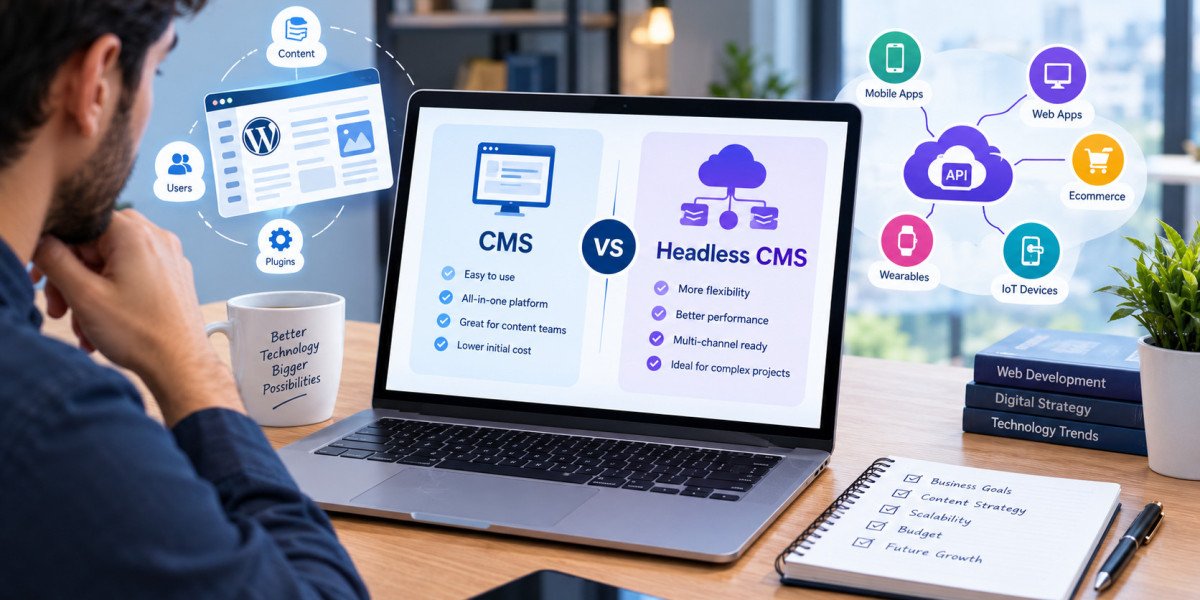

Search visibility depends on content quality, technical health, and page experience. The platform behind your website influences all three. That is why so many marketers researching cms vs headless cms want to know one thing: which option ranks better? The truth is that rankings come from execution, not labels. Still, Headless CMS vs Traditional CMS choices change how easily you can control speed, markup, and crawlability. In this informational guide, Xcentric Services explains how each model affects SEO so you can plan a site that search engines and users both love.
Core Web Vitals and Page Experience
Google uses Core Web Vitals, including Largest Contentful Paint, Interaction to Next Paint, and Cumulative Layout Shift, as part of its page experience signals. Traditional sites often struggle here because themes and plugins add heavy scripts, large stylesheets, and layout shifts. Headless front ends give developers full control over what loads, so they can ship lean pages, optimize images, and defer unused code. A Next.js or Nuxt.js build can reach excellent scores, but only when the team treats performance as a requirement from day one.
Rendering Strategies Explained
Rendering strategy is one of the biggest CMS vs Headless CMS Differences for SEO. Traditional platforms render on the server for every request, which search engines read easily. Headless sites can use several methods:
• Static site generation: pages are built ahead of time and served instantly from a CDN.
• Server-side rendering: pages are built on each request, which suits personalized or frequently changing content.
• Incremental static regeneration: static pages refresh in the background after content changes.
• Client-side rendering: the browser builds the page with JavaScript, which can slow indexing and is best avoided for important content.
Choosing static or server-side rendering keeps your content visible to crawlers.
On-Page SEO Controls
Every good SEO setup needs control over title tags, meta descriptions, canonical tags, heading structure, internal links, hreflang, and structured data. In WordPress, plugins like Yoast SEO and Rank Math handle many of these tasks with a few clicks. In a headless build, these elements must be modeled as fields in the CMS and output by the front end. This takes planning, but it also gives you precise control. You can generate FAQPage and Article schema markup automatically from content fields instead of pasting code by hand.
Redirects, Sitemaps, and URL Structure
Technical SEO basics do not disappear when you go headless. You still need clean URLs, XML sitemaps, robots.txt rules, and a redirect map. A traditional CMS handles many of these through plugins. A headless site needs them built into the front end or hosting layer, for example through Next.js configuration or Netlify redirect rules. Teams that skip this step during a platform change often lose traffic. When comparing Headless CMS vs Traditional CMS for Websites, factor in the time required to rebuild these essentials correctly.
Crawlability and JavaScript
Googlebot can render JavaScript, but rendering is queued and can delay indexing. Other search engines and AI crawlers may be less capable. This is why server-rendered or static HTML is safer for important pages. Traditional CMS pages deliver complete HTML by default, which is a built-in advantage. Headless sites can match this when configured properly. Always test with Google Search Console's URL Inspection tool, and check that your main content, links, and metadata appear in the rendered HTML.
Content Workflow and SEO Teams
Content teams care about workflow as much as code. Traditional editors let SEO writers see headings, links, and images in context, and plugins offer readability scores and keyword checks. Headless editors work with structured fields, which makes consistency easier, for example enforcing a meta description length or required alt text. Any Headless CMS vs CMS Comparison should note that both approaches can support strong editorial processes. The key is to agree on templates, naming rules, and review steps before publishing begins.
Practical SEO Checklist for Either Platform
Use this checklist whatever you choose:
• Keep page weight low and compress images in modern formats such as WebP or AVIF.
• Use one clear H1 per page with a logical heading hierarchy.
• Add structured data for articles, products, FAQs, and organization details.
• Maintain an updated XML sitemap and submit it in Google Search Console.
• Plan 301 redirects before any migration.
• Monitor Core Web Vitals regularly with PageSpeed Insights.
Image Optimization and Media Delivery
Images are often the heaviest part of a page, so how your CMS handles them matters. Traditional platforms rely on plugins such as ShortPixel or Smush to compress images and create responsive sizes. Many headless platforms, including Sanity and Storyblok, offer built-in image APIs that resize, crop, and convert files to WebP or AVIF on demand. Combined with lazy loading and proper dimensions, this keeps Largest Contentful Paint low and protects layout stability. Whichever approach you use, always add descriptive alt text for accessibility and image search.
Monitoring SEO After Launch
SEO work never ends at launch. Track impressions, clicks, indexing status, and Core Web Vitals in Google Search Console, and review crawl reports regularly for broken links and redirect chains. Compare keyword rankings before and after any platform change, and investigate drops quickly. Analytics tools show whether faster pages improve engagement and conversions. In both models, a steady cycle of testing, publishing, and refining keeps your site competitive as search engines update their systems and as competitors improve their own content.
Accessibility and User Experience
Search engines reward pages that people can use easily. Accessible markup, readable fonts, clear navigation, and keyboard support all improve engagement and reduce bounce rates. Traditional themes vary widely in quality, so test them carefully. Headless builds let developers create accessible components from the start and reuse them everywhere, which keeps standards consistent as the site grows.
Final Thoughts
In the Traditional CMS vs Headless CMS debate, neither platform guarantees rankings. A traditional CMS makes basic SEO simple through plugins, while a headless CMS gives advanced teams more control over speed and markup. The best result comes from matching the platform to your team's skills and committing to technical excellence. Xcentric Services combines web development and SEO expertise, so your architecture supports your visibility goals from the first sprint.
Frequently Asked Questions
Is a headless CMS good for SEO?
Yes, when built well. Fast loading, clean HTML, and flexible schema markup help SEO, but the team must implement metadata, sitemaps, and redirects carefully.
Is WordPress better than a headless CMS for SEO?
WordPress is easier for beginners thanks to plugins like Yoast SEO. A headless CMS can outperform it for speed and control, but it needs more development effort.
Does JavaScript hurt SEO in headless websites?
It can if content depends on client-side rendering. Using server-side rendering or static generation with Next.js or Nuxt.js avoids most indexing problems.
Will migrating to a headless CMS affect my rankings?
It can if URLs, metadata, and internal links change without proper redirects. A careful migration plan keeps rankings stable and often improves them through better speed.
Can I use SEO plugins with a headless CMS?
Traditional plugins do not work directly on a separate front end, but many headless platforms offer SEO fields, and developers can add schema and metadata through code.
Which is better for SEO, a CMS or a headless CMS?
Neither is automatically better. A traditional CMS is simpler to optimize, while a headless CMS offers deeper control over speed and markup when built by experienced developers.